Getting started with a crypto wallet is pretty straightforward. You pick a type, set it up, and—most importantly—back up your recovery phrase. Once that's done, you’ll have a public address to receive crypto and a private key to authorize sending it. It’s your personal, digital bank for assets like Bitcoin and Ethereum.
Your First Steps into Crypto Wallets
Before you can really get your hands dirty with digital assets, you need to wrap your head around what a crypto wallet actually is. It’s more than just an app on your phone; it’s your personal key to the entire blockchain world.
Here’s a common misconception: a wallet doesn’t “store” your coins like a physical wallet holds cash. Instead, it holds your private keys. These keys are what prove you own your crypto and give you the power to send it. Your actual coins live on the blockchain, a massive, decentralized ledger. The wallet is just the secure tool you use to access them.
This distinction is everything. Your crypto exists on a global network, and the wallet is your gateway. It's a concept that has built a massive industry. The global crypto wallet market was valued at USD 12.59 billion in 2024 and is projected to hit an incredible USD 100.77 billion by 2033, according to Grand View Research. That’s a clear sign of just how fast this tech is catching on.
The Two Flavors of Wallets: Custodial and Non-Custodial
Your first big decision is choosing between a custodial and a non-custodial wallet. The entire difference boils down to a single, critical question: Who holds your private keys?
-
Custodial Wallets: A third party, like a crypto exchange, manages these for you. Think of it like a bank. The exchange holds your assets, and you trust them to keep everything secure. This route is often easier for beginners since you can usually recover your account with a simple password reset.
-
Non-Custodial Wallets: With these, you—and only you—are in control of your private keys. It's like keeping cash in a safe at home. You have total control and sovereignty over your funds. This gives you ultimate security, but it also means you bear all the responsibility. If you lose your keys, there's no one to call for help.
The old crypto saying, "Not your keys, not your coins," nails this perfectly. When you go non-custodial, you become your own bank.
This isn't just a small technical choice; it fundamentally changes how you interact with your crypto.
To make it even clearer, let's break down the key differences side-by-side.
Custodial vs Non-Custodial Wallets at a Glance
| Feature | Custodial Wallet (e.g., Exchange Wallet) | Non-Custodial Wallet (e.g., MetaMask, Ledger) |
|---|---|---|
| Private Key Control | Held by a third party (the exchange). | Held by you, the user. |
| Security | You trust the platform's security measures. | You are fully responsible for your own security. |
| Ease of Use | Generally simpler, with familiar login/password recovery. | Requires you to manage a seed phrase securely. |
| Recovery | Password resets are usually possible. | If you lose your seed phrase, your funds are lost forever. |
| Best For | Beginners, active traders, convenience. | Long-term holding, maximum security, self-sovereignty. |
Choosing the right one depends entirely on your goals—whether you prioritize convenience for frequent trading or absolute control for long-term security.
Why This Choice Matters So Much
Picking between custodial and non-custodial defines your entire crypto experience. A custodial wallet on an exchange like vTrader is fantastic for active trading and quick access. It streamlines everything, taking the pressure of key management off your shoulders. It’s the perfect launchpad if you're just figuring out how to invest in crypto.
But as your portfolio grows, you'll probably find yourself leaning toward a non-custodial wallet for long-term storage, often called "cold storage." This move protects you from risks like exchange hacks or account freezes. Many seasoned crypto users run a hybrid setup: they keep a smaller "hot" balance on an exchange for trading and lock away the bulk of their assets in a non-custodial hardware wallet.
Getting a handle on this trade-off between convenience and control is your first real step toward mastering your digital finances.
Choosing and Setting Up Your First Wallet
Picking the right wallet is your first real fork-in-the-road moment in crypto. It's a decision that shapes how you'll interact with your digital assets, forcing you to find your personal balance between easy access, tight security, and total control.
With so many options—mobile apps, browser extensions, physical gadgets—it’s easy to feel overwhelmed. But it really boils down to one question: are you an active trader needing instant access, or a long-term holder who wants to lock things down like Fort Knox? Your answer will cut through the noise and point you in the right direction.
For most people just starting out, a mobile wallet like Trust Wallet or a browser extension like MetaMask is a fantastic gateway. They're built to be intuitive, support a ton of different coins, and plug you right into the world of decentralized apps (dApps).
This image breaks down the core choice you're making: are you holding your own keys (non-custodial), or is someone else holding them for you (custodial)?

As the diagram shows, you're the one in the driver's seat, deciding whether to take on the full responsibility of self-sovereignty or to trust a third party to manage things.
Evaluating Popular Wallet Options
When you start comparing wallets, don't get lost in the weeds. Zero in on the things that actually matter.
- Supported Cryptocurrencies: First things first—does it even hold the coins you want? Make sure it supports essentials like Bitcoin (BTC) and Ethereum (ETH), plus any others on your radar.
- Security Features: Look for the basics, like two-factor authentication (2FA) and biometric login (Face ID or fingerprint). A wallet's reputation in the community is also a huge tell.
- Ease of Use: If the interface is a cluttered mess, you're going to have a bad time. A clean design makes a world of difference, especially when you’re learning the ropes.
For anyone serious about security, the conversation eventually leads to a hardware wallet. Think of it as a specialized USB drive that keeps your private keys completely offline, making them untouchable by hackers, malware, or phishing scams. Brands like Ledger and Trezor are the undisputed leaders here, offering what is essentially a personal vault for your crypto.
Pro Tip: Your security setup should grow with your portfolio. It’s fine to start with a good software wallet for smaller amounts, but as soon as you have a stake you can't afford to lose, it’s time to get a hardware wallet. No excuses.
If you want to get into the nitty-gritty of how these devices work, our detailed guide explains what a hardware wallet is and why it’s so secure.
The Wallet Setup Process
Okay, you've picked your wallet. Now comes the setup, which is your first practical security drill. Let's walk through it using MetaMask, one of the most common browser wallets out there.
The absolute most important first step? Download it only from the official source. Go directly to metamask.io or find it in the official Apple App Store or Google Play Store. Scammers are experts at creating fake sites and apps that look identical to the real thing, designed to snatch your info the second you install them.
Once installed, you'll be asked to "Create a new wallet." The app will have you set a strong password, which is a local security measure that just protects the wallet on that specific computer or phone.
Then, you hit the most critical part of this whole process: your seed phrase (or recovery phrase). The wallet will show you a unique list of 12 or 24 random words. This isn't just a backup; it's the master key to your funds.
This phrase is everything. Anyone who gets their hands on it can drain your wallet from anywhere on the planet. We'll cover exactly how to protect it in the next section, but just know that securing this phrase is non-negotiable.
After you've carefully written down your seed phrase and confirmed it back to the app, your wallet is live. You're officially set up with a public address to receive crypto and the private keys (managed securely by the wallet) to send it. You’ve just created your own personal gateway to the blockchain.
Mastering Your Seed Phrase and Private Keys
If there’s just one thing you remember from this guide, make it this. Your seed phrase (sometimes called a recovery phrase) is the single most critical piece of information you will ever handle in crypto. It's the master key that can restore your entire wallet on any device, anywhere in the world.
Think of it this way: your wallet software is just a window to view your assets, but your seed phrase is the deed to the entire house. Lose it, and you're locked out forever. Your funds are gone for good. That’s not hyperbole—it’s the unforgiving reality of self-custody.
This phrase is a list of 12 or 24 simple words generated by your wallet. From these words, all the individual private keys for your different cryptocurrencies are derived. Getting the distinction right is key, and you can dive deeper into the mechanics of a public key vs private key to see how they work together to keep your funds safe.
Common Mistakes That Cost Everything
The biggest threat to your crypto isn't some elite hacker in a dark room—it’s a simple, avoidable slip-up. People lose millions of dollars not from sophisticated attacks, but from basic security blunders.
Here are the catastrophic errors I’ve seen people make over and over:
- Taking a screenshot: Saving a picture of your seed phrase on your phone or PC is asking for trouble. Malware can easily scan your device for images, making this one of the fastest ways to get your wallet drained.
- Storing it in the cloud: Never, ever save your phrase in Google Drive, Dropbox, iCloud Notes, or any online service. If your cloud account is breached, your crypto is next.
- Saving it in a password manager: These tools are great for website logins, but they are still online and create a single point of failure. Your master crypto key needs to be completely offline.
- Emailing it to yourself: This just sprays copies of your key across multiple servers you don't control. It's one of the absolute riskiest things you can do.
Critical Takeaway: Treat your seed phrase like a bearer bond for your entire crypto portfolio. Anyone who sees it can take everything. Your primary goal is to store it offline, where the internet can't touch it.
This isn't paranoia. Criminals are actively hunting for these mistakes. Malware strains like StilachiRAT are built specifically to scour infected computers for wallet data and clipboard contents, looking for exactly these kinds of digital copies.
Proven Methods for Offline Storage
So, what's the right way to do it? The only answer is physical, offline storage. Writing your words on paper and hiding it is a start, but we can do much better.
Metal Seed Plates
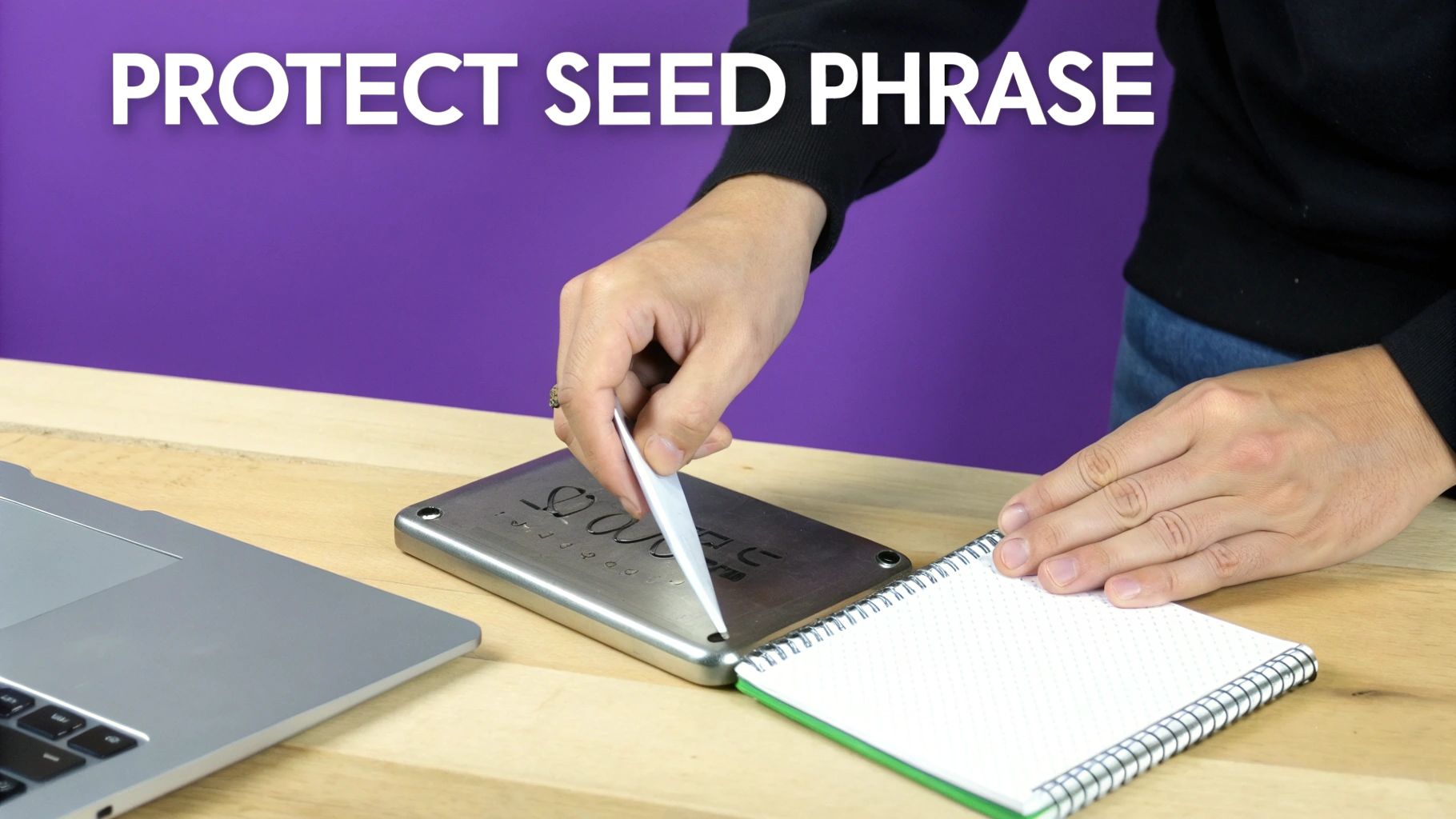
Paper’s biggest enemies are fire and water. Your backup won't survive a flood or a house fire, but a metal plate will. You can buy specialized steel or titanium plates and a letter punch kit to engrave your seed phrase. This creates a nearly indestructible backup that’s the gold standard for long-term, "deep cold" storage.
Splitting and Distributing
Another powerful technique is to split your phrase into multiple parts and store them in different secure locations. For instance, you could store words 1-8 in a safe deposit box and words 9-16 at a trusted relative's home.
Here are a couple of ways you can approach this:
- Simple Split: Just divide a 12-word phrase into two halves (1-6 and 7-12).
- Shamir's Secret Sharing: This is a more advanced cryptographic method that splits your phrase into multiple "shares." You could create three shares but only need any two of them to reconstruct the full phrase. This adds redundancy; if one location is compromised, your funds are still perfectly safe.
This strategy protects you from a single point of failure, whether that's theft, a natural disaster, or even physical threats. The rise of "wrench attacks," where criminals use violence to force victims to give up their keys, makes storing everything in one place a real liability. By splitting your phrase, no single location contains the complete key. Mastering these real-world security practices is what it truly means to know how to use a cryptocurrency wallet.
Sending and Receiving Crypto with Confidence
Alright, you've got your wallet set up and your seed phrase is locked down. Now for the fun part: actually moving crypto. This is where the rubber meets the road, and you start interacting with the blockchain. It feels a lot like online banking, just with a few new, very important rules.

Whether you’re sending some Bitcoin to a friend or getting paid for a freelance gig in a stablecoin, the basics are the same. Getting this process down is the final piece of the puzzle to truly using a crypto wallet for everyday transactions.
Stablecoins, especially, have completely taken over. As of August 2025, they now account for 30% of all on-chain crypto transaction volume. Their total volume blew past USD 4 trillion in the last year alone—an 83% jump that shows just how essential they’ve become for payments and transfers. You can dig into the numbers yourself in the 2025 crypto adoption and stablecoin usage report.
How to Receive Cryptocurrency
Receiving crypto is the easy part. All you have to do is give the sender your correct public address on the right network.
Your public address is a long string of letters and numbers that acts like your bank account and routing number combined. It’s perfectly safe to share this with anyone; they can't do anything with it except send you funds. Inside your wallet, look for a "Receive" or "Deposit" button. It will show you the full address and a handy QR code for scanning.
The one thing you absolutely must get right is the blockchain network. If someone is sending you Ethereum (ETH) on the Arbitrum network, you have to give them your Arbitrum address, not your main Ethereum one. A mismatch here could mean your funds are lost in the digital ether forever.
The Anatomy of Sending Crypto
Sending crypto is where you need to be sharp, because mistakes are almost always permanent. Here’s the typical flow you’ll see in wallets like MetaMask or Trust Wallet.
- Input the Recipient’s Address: This is the make-or-break step. Always, always copy and paste the address or use a QR code. Trying to type it out by hand is just asking for trouble.
- Pick the Asset and Amount: Select the crypto you want to send (like BTC, ETH, or USDT) and type in the amount.
- Check the Network Fees: You’ll notice a transaction fee, commonly called a "gas fee" on networks like Ethereum. This fee goes to the network validators for processing your transaction. The cost changes based on how busy the network is—more traffic means higher fees. Most wallets give you an option to pay less for a slower transaction or more to speed things up.
My Personal Rule: I never, ever send a large amount of crypto without doing a small test transaction first. Send a dollar's worth, wait for the other person to confirm they got it, and only then send the real amount. This five-minute sanity check has saved me from some very expensive typos over the years.
This simple habit takes the stress out of sending and prevents that heart-sinking feeling when you realize you might have sent your crypto into a black hole.
Pro Tips for Transaction Safety
After making thousands of transactions, I’ve built a mental checklist that I run through every single time. Think of these habits as your best line of defense.
- Triple-Check the Address: Once you paste the recipient’s address, visually confirm the first five and last five characters match the source. This tiny step defeats the most common clipboard-hijacking malware that secretly swaps out addresses. To get a better feel for what you're looking at, check out our guide with some real-world wallet address examples.
- Watch Out for Address Poisoning: This is a sneaky scam. A fraudster will send a tiny transaction to your wallet from an address that looks almost identical to one you use often. They’re betting you’ll get lazy and copy their address from your history for your next big transfer. Always get a fresh address directly from the recipient, every single time.
- Bookmark Your Go-To Sites: When sending funds to an exchange or interacting with a dApp, only use addresses from your official, bookmarked websites. Never trust an address you got from an email, a tweet, or a Discord message—these are prime targets for phishing scams.
By making these practices second nature, you’ll move from just knowing how to send crypto to doing it with the discipline required to keep your assets safe.
Connecting Your Wallet to Exchanges and dApps
Think of your crypto wallet as more than just a vault for your assets—it's your passport to the entire world of decentralized finance, art, and gaming. Its real magic happens when you connect it to exchanges for trading or to decentralized applications (dApps) to interact with the crypto economy.
The need for this has never been more obvious. A 2025 report revealed that 28% of American adults, which is roughly 65 million people, now own some form of digital asset. This explosion in ownership has pushed mobile wallet use to all-time highs as people learn how to use crypto daily. You can find more details about this surge in crypto ownership on Security.org.
How to Link Up Safely
When you want to move funds from your self-custody wallet to an exchange like vTrader or interact with a dApp like Uniswap, you'll most likely use a protocol called WalletConnect. It’s a secure bridge that lets the application request your permission for transactions without ever exposing your private keys.
The process is designed to be simple and secure, usually involving a quick scan.
As you can see, it often just takes scanning a QR code on your desktop with your mobile wallet app. This creates an encrypted link, but your wallet always remains in control. Nothing happens unless you manually approve the action on your device.
Understanding Permissions and Knowing When to Say No
Connecting to a dApp isn't just a one-and-done handshake. You often grant specific permissions, like allowing a platform to spend a certain token from your wallet to facilitate a trade. These approvals are necessary, but they can become a serious security hole if left open.
It’s like giving a valet the key to park your car—you wouldn't want them to keep it forever. Getting into the habit of regularly reviewing and revoking old permissions is non-negotiable for good security.
One of the most common and dangerous mistakes is granting "infinite" approvals to dApps just for convenience. If that dApp is ever compromised, hackers can use that permission to drain every single one of those tokens from your wallet.
Luckily, there are tools to help you stay on top of this. Services like Etherscan's Token Approval Checker or Zapper's approval tool will scan your wallet address and show you every single active permission you've granted. From there, you can revoke anything you no longer need.
How to Spot Phishing Scams and Fakes
Scammers are experts at creating fake websites that look exactly like the real thing. Their only goal is to trick you into connecting your wallet and signing a malicious transaction that gives them the keys to your kingdom.
Here are a few things that have personally saved me from getting rekt:
- Always Triple-Check the URL: Before you connect anything, look at the website address. Is it spelled correctly? Scammers love to use subtle typos, like
unlswap.financeinstead ofuniswap.org. The best practice is to bookmark your most-used sites and only use those links. - Read the Prompt Before You Approve: When your wallet pops up asking for a signature, don't just mindlessly click "Confirm." Read what you're actually authorizing. If a site wants permission to "Set Approval For All" for your entire NFT collection when you're just trying to list one, that's a giant red flag. Abort mission.
- Be Skeptical of Unsolicited Links: Never, ever click on links sent to you in Discord DMs, on Twitter, or in emails promising free airdrops or exclusive mints. These are almost always sophisticated traps designed to lead you to a drainer site.
The engineering that makes these wallet interactions possible is pretty complex. If you’re curious about the nitty-gritty, you can learn a lot by looking into how wallets connect to new blockchain networks. By staying vigilant and treating every connection request with a healthy dose of suspicion, you can safely navigate the exciting world of crypto.
Frequently Asked Questions About Crypto Wallets
As you get comfortable with crypto wallets, you're bound to run into a few questions. Let's tackle some of the most common ones I hear, reinforcing the key ideas we've already covered.
What Happens If I Lose My Phone or Computer?
It’s a scary thought, but if your device is lost, stolen, or just stops working, your crypto is completely safe—if you have your seed phrase backed up securely offline.
Remember, your funds don't actually live on your phone or laptop. They exist on the blockchain. Your wallet is just the key. You can simply install your wallet on a new device and use that 12 or 24-word recovery phrase to restore complete access to all your assets. This is why protecting that phrase is the single most important rule in crypto.
Can I Use One Wallet for All My Coins?
For the most part, yes. Most modern wallets are multi-chain, which is just a fancy way of saying they can manage assets across different blockchains like Bitcoin, Ethereum, and Solana. Popular options like Trust Wallet or Exodus are well-known for their broad coin support.
However, no single wallet supports every cryptocurrency out there. Before sending a new asset to your wallet, always take a minute to check the wallet's official website to confirm it's supported. This simple step prevents the nightmare scenario of sending coins to an incompatible address, which almost always results in a permanent loss.
How Do I Avoid Sending Crypto to the Wrong Address?
Sending crypto to the wrong address is usually a one-way street with no undo button, so building careful habits from day one is non-negotiable. The most common mistake is a simple typo or a copy-paste error.
To avoid this, make this your routine:
- Always copy and paste or use a QR code. Never, ever try to type out a wallet address by hand.
- Verify the address. After pasting, double-check that the first five and last five characters match the address you intended to use.
- Send a test transaction. For any large transfer, send a tiny amount first—like $1. Wait for the other person to confirm they got it before you send the full amount.
This small step provides incredible peace of mind and can save you from a catastrophic mistake. It turns a potentially wallet-draining error into a minor one-dollar lesson.
Adopting this simple workflow will give you confidence every time you hit "send."
Are Mobile Wallets Safe to Use?
For everyday use and holding smaller amounts of crypto, reputable mobile wallets are very secure. They're protected by your phone's built-in security, like Face ID or fingerprint locks, and they use strong encryption to guard your private keys.
That said, they are "hot wallets," meaning they're connected to the internet. This creates a small but real risk from malware or sophisticated scams. This is why even the sharpest users need to understand how to protect against phishing attacks, as this is how most people get tricked.
For storing significant value or for long-term "HODLing," a hardware "cold" wallet that stays offline is the undisputed gold standard for security. And if you run into any unfamiliar terms, this Web3 Dictionary is a great resource to have bookmarked.
Ready to put your knowledge into action with a secure, user-friendly platform? vTrader offers commission-free trading, advanced tools, and educational resources to help you trade with confidence. Sign up today and start building your portfolio.

Steve Gregory is a lawyer in the United States who specializes in licensing for cryptocurrency companies and products. Steve began his career as an attorney in 2015 but made the switch to working in cryptocurrency full time shortly after joining the original team at Gemini Trust Company, an early cryptocurrency exchange based in New York City. Steve then joined CEX.io and was able to launch their regulated US-based cryptocurrency. Steve then went on to become the CEO at currency.com when he ran for four years and was able to lead currency.com to being fully acquired in 2025.